
Comparison: Quick Verdict
I recommend iMemories first for a mixed family archive when convenient app access and independent downloads matter. For a new YesVideo direct order, compare Capture’s current service with iMemories. Capture may suit a specific standard-output quote better; check its quality tier, required USB, shipping and access period. Neither an upscale label nor a low starting price establishes a better result for your originals.
For a new order, compare Capture’s current service with iMemories. YesVideo’s consumer website directs new customers to Capture, so an old YesVideo price or retail-partner offer is not a reliable basis for choosing today.
I have used and tested YesVideo and iMemories. My preference is iMemories for a mixed family archive and convenient app access. For a new YesVideo order, compare Capture’s current service and complete quote with iMemories before choosing.
YesVideo and Capture: which service are you ordering?

The YesVideo website directs new direct customers to Capture. Use the current Capture site for a direct order. A retailer-branded transfer route can have its own pricing and access terms, so retain the exact order URL and receipt rather than mixing policies from different routes.
If you already have a YesVideo or retail-partner order, use its account and support instructions. A change in the consumer ordering route does not prove that your existing account has automatically moved or that its original terms were replaced.
iMemories: conversion with optional online access

The iMemories pricing page separates conversion, optional enhancement, physical copies and continued Cloud access. Free digital-master downloads are listed after conversion. Use our iMemories cost guide to budget the whole collection rather than only the kit.
Side-by-side: compare the same output
| Requirement | Capture direct service | iMemoriesRead the iMemories review |
|---|---|---|
| Tape price basis | $19.99 SD, $29.99 Full HD or $39.99 UHD per tape on its current price list | $29.99 standard conversion per tape; offers and optional treatment are separate |
| Enhanced video | FHD/UHD tiers are described as AI upscaling and processing | McKenzie AI Enhancement is an optional provider-marketed treatment |
| Physical delivery | USB is optional for SD and required with the listed FHD/UHD video tiers | USB and discs are separately priced output choices |
| Cloud access | Current direct-site pages advertise 90 days; the separate order storefront advertises 30 | 30-day Cloud trial; continued access is optional |
| Best way to compare | Select source format and quality tier, then price the complete order | Count the same sources and selected output, then price the complete order |
Sources: Capture’s price list and iMemories pricing. These reference prices are not two equivalent final checkout totals. Include shipping, required media, selected treatment, tax and later subscriptions.
Choose the output around the family’s playback needs
| Reader’s job | Useful choice | Check before payment |
|---|---|---|
| Keep an accessible standard copy | Compare standard capture and downloadable masters | Actual file format, access period and an independent backup |
| Prefer enhanced playback on a large TV | Judge a representative enhanced sample | Whether a standard master is retained as well |
| Take HD files home on a drive | Include the required physical output in the quote | Drive capacity, usable space and television compatibility |
| Preserve film sound or unusual material | Confirm the exact source and track first | Written acceptance rather than a general “film” promise |
Capture’s direct price list describes included cloud delivery and a USB requirement for its FHD and UHD video tiers. The drive is a priced output, not a reason to assume every advertised tape price includes the same package. Larger enhanced files can require a larger drive. Someone buying a keepsake for relatives should also check whether their television or computer can open the supplied files; a higher-resolution label is of little use if the intended device cannot play them.
Quality tiers do not change what was originally recorded
Capture describes its FHD and UHD videotape options as AI upscaling with noise reduction and colour correction. Upscaling cannot turn a VHS source into a native Full HD or 4K recording. iMemories markets its optional McKenzie AI Enhancement as a separate treatment.
Choose standard conversion when a faithful, accessible copy is your priority. Consider enhancement when you have inspected a suitable sample and prefer the result for viewing. Ask whether a standard master is also supplied and retain the originals. An enhanced copy can be useful without becoming a replacement for the source.
For family films, sound support and reel length may be more important than a tier label. For photographs, ask about image dimensions, cropping and the file supplied. Avoid comparing a tape enhancement price with a photo-scanning offer or assuming that one trial result applies to every format.
Capture cloud terms: a real offer distinction
Capture’s current direct-site pricing page and facts page advertise 90 days of included MemoryCloud access. The separate order.capture.com storefront advertises 30 days, followed by $4.99 monthly.
Do not assume that every route grants the longer period. Before payment, confirm the access duration, renewal price and cancellation terms on your selected order and retain written confirmation. Download and back up promptly; budgeting for the shorter confirmed period is safer than discovering a mismatch after delivery.
iMemories lists a 30-day trial, then $7.99 monthly or $49.99 annually for continued Cloud access. You can keep downloaded files independently. For either provider, open and verify your downloads before allowing access to lapse or cancelling a plan.
A fair cost example
For ten tapes at the standard iMemories conversion rate, the conversion component is $299.90. For ten tapes at Capture’s listed SD rate, the conversion component is $199.90. These are our multiplication examples, not final quotes, and the advertised Capture FHD/UHD treatments change the comparison.
Add each offer’s actual inbound and return shipping, required USB where applicable, tax, enhancement and desired physical copies. Capture’s current direct price list specifies a $12.49 return charge and a $24.98 round-trip-label option. Confirm the selected route at checkout; do not mix that with different storefront shipping wording.
For film or photographs, build a separate comparison from the exact length or image count. A base allowance, minimum charge or included quantity can affect a small order differently from a large archive. Keep the itemised quotes so you can see what changed if a promotion appears.
Turnaround: avoid an unfair speed winner
Capture’s facts page estimates processing after arrival. iMemories’ turnaround guide separates online availability after approval and payment from return of the originals; its FAQ describes the preceding inventory and payment-request stage. Compare the same milestones rather than treating either processing estimate as the entire time away from home. Quantity, format, enhancement and the selected programme can change the schedule.
Include kit delivery if needed, packing, inbound transit, inventory, approval, processing, inspection and return shipping. Ask for an order-specific date when an event is involved. A short processing estimate is not a guarantee that files and originals will all be back by your deadline.
Repairs, unusual formats and customer protection
Capture advertises minor tape repairs and reprocessing terms, but a general repair statement is not confirmation that badly damaged material is recoverable. For either service, describe damage and format before shipping and obtain written acceptance. Seek specialist advice for mould or fragile film rather than following an unverified repair tutorial.
Inventory originals, photograph labels and keep delivery tracking. Check current liability, correction and return conditions on your chosen order route. Marketing assurances do not eliminate postal risk. If the only surviving copy is something you will not ship, compare a local specialist.
The legacy audio-cassette question is especially important: do not send audio-only tapes based on a page about home-video conversion. Ask Capture for current written confirmation of the exact audio format and output; iMemories’ FAQ does not list audio-only conversion among its accepted formats.
Packing and acceptance: protect the information as well as the items
Capture’s current direct service asks you to pack your own box; a prepaid inbound label is a separate selection. That differs from choosing an iMemories SafeShip kit. Record the route on the receipt and follow its actual packing instructions. Photograph each item’s label and condition, keep related parts together, and retain your tracking details. A loose handwritten note should not be the only place you record the identity of an irreplaceable tape.
For albums, confirm whether the pages can remain intact. For film, identify the format, reel length and soundtrack requirement. For digital devices, ask whether the service is copying existing files or converting analogue recordings; transferring a file does not automatically repair corruption or improve the original recording. Do not send a damaged or mouldy item on the strength of a generic repair promise.
When files arrive, match them to your inventory before declaring the order finished. Open several parts of every video, listen where audio was expected, and inspect photo edges, orientation and legibility. Test the actual downloaded files on another device, then make a separate backup. Review any missing or failed items with support while the order is easy to trace. Check the returned originals separately from online access: those deliveries need not occur on the same day.
Our buying recommendation
Start with Capture’s quote when its published direct-service output tiers match your needs, then confirm the required USB, shipping and cloud terms. Start with iMemories’ quote when its mixed-media workflow and optional app access suit your family and its complete cost is acceptable. Neither is an automatic quality winner here.
If you are also considering kit capacity, read iMemories vs Legacybox. For a small photo-only collection, our photo digitising guide can help you compare a local or DIY route.
Confirm your selected offer at Capture or iMemories before sending originals. The most useful winner is the service that accepts your actual media and meets the output, schedule and complete-cost requirements you have written down.
Frequently Asked Questions
Is YesVideo still in business?
Its consumer website remains available and directs new direct customers to Capture. Use the current Capture ordering route and terms for a new direct order; existing or retailer orders may have their own account instructions.
Is Capture the same company as YesVideo?
Capture identifies its connection to YesVideo and YesVideo directs new customers to Capture. Do not assume that every retail-partner offer or old account has identical current terms.
Which is better, YesVideo or iMemories?
For a new direct order compare Capture with iMemories. Choose around accepted formats, complete cost, output and schedule. A representative sample and your required output are more useful than a universal quality ranking.
Is YesVideo or iMemories cheaper?
Capture’s listed SD tape conversion starts below iMemories’ standard tape rate, but enhanced tiers and complete order charges change the total. Quote the same inventory and required output before deciding.
Is YesVideo or iMemories faster?
The providers’ estimates use different starting stages. Get a current order-specific date including transit, inventory, approval, processing, inspection and return delivery.
Do I need a cloud subscription with YesVideo or iMemories?
You can retain independently downloaded files. Capture’s direct-site pages advertise 90 days, while its separate order storefront advertises 30; confirm your offer. iMemories lists a 30-day trial before paid continued access.
Do YesVideo and iMemories return the original media?
The services describe returning originals after processing. Confirm charges and timing for your specific route, then check the returned package against your packing inventory.
Which service is better for audio cassettes?
iMemories does not list audio-only transfer in its accepted formats. Ask Capture to confirm current support for your exact audio tape and desired output in writing before ordering, or consult an audio-transfer specialist.
What are the best firms for digitising old videos?
Compare Capture, iMemories and Legacybox against your actual tape and film formats, sound requirements, complete order price and output. A local transfer specialist is another option when you prefer not to ship the only surviving copy. Choose around the actual source, desired files and complete service terms.
Is iMemories known for its reliable service quality?
iMemories publishes its accepted formats and processing workflow, but those claims do not establish a measured failure rate or guarantee a particular recovery outcome. Inventory your originals, confirm damage acceptance and current correction terms, and inspect your files before deleting or discarding anything.
What are the typical fees associated with using iMemories for digitisation?
The standard published conversion rates are $29.99 per videotape, $29.99 per 50 feet of film and $0.99 per photograph. Shipping, selected physical output and optional continued Cloud access can add to the total. Verify the current offer for your exact inventory.
Does iMemories provide any special discounts for seniors?
Ask iMemories whether your order qualifies for a senior price, then compare the complete quote with other available offers. Do not assume age-based eligibility or that promotions can be combined.
Are there any deals available for iMemories services through platforms like Groupon?
Check a voucher’s seller, expiry, eligible formats, shipping charges and redemption terms against a direct iMemories quote before buying it. A headline discount alone is not the final order cost.
How do the costs and services of iMemories compare to those of Legacybox?
iMemories normally prices conversion by tape, film length and photo count; Legacybox uses kit item capacity, with 25 photos counting as one item. Legacybox says film sound is not transferred, while iMemories lists supported film with and without sound. Price the same inventory and output using each current offer, including shipping and optional subscriptions.
Sources and image credits
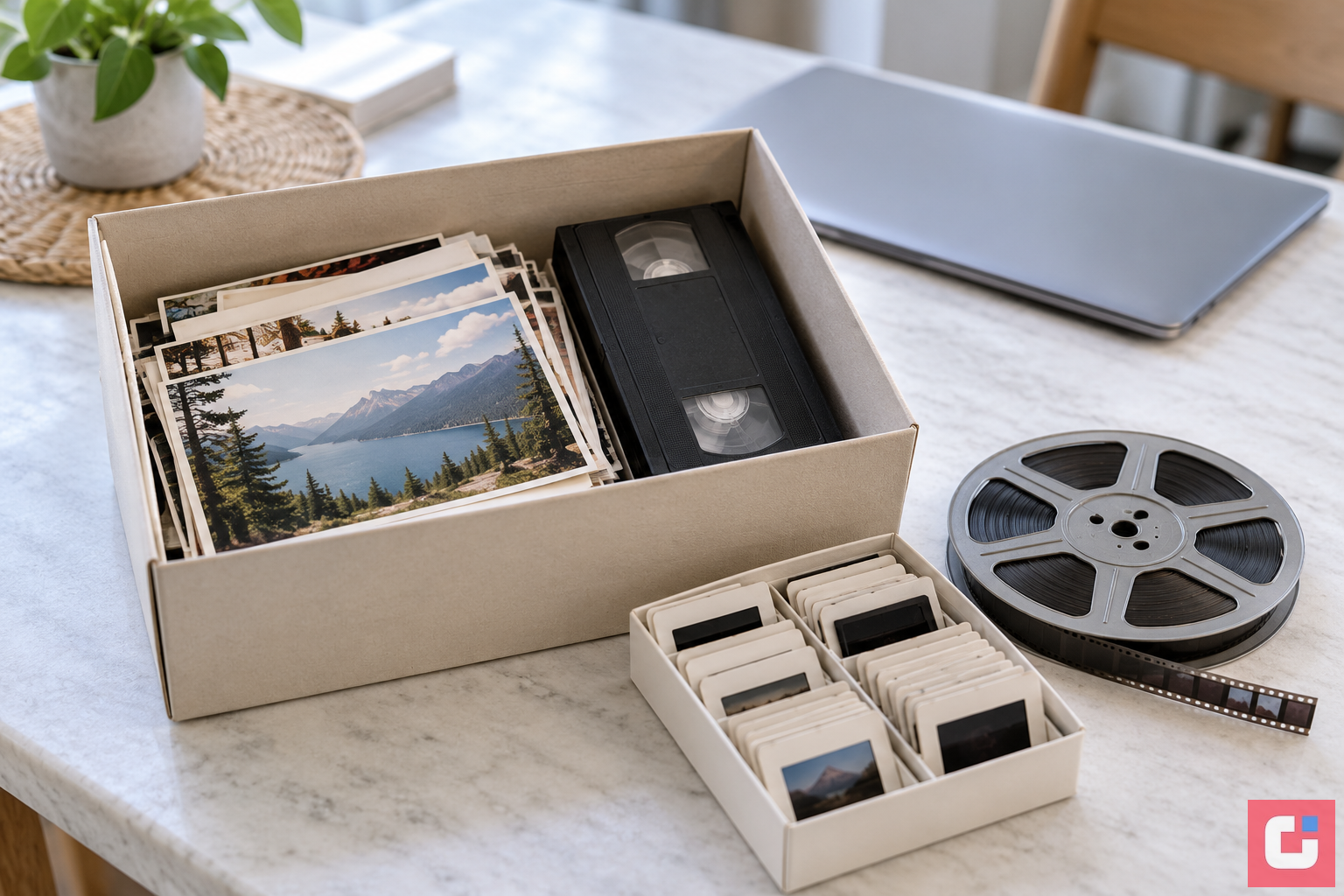
YesVideo’s current ordering direction; Capture pricing and delivery options, service facts and separate storefront terms; iMemories pricing, format and Cloud FAQ and turnaround stages. Provider identities: Capture and iMemories official artwork, with YesVideo identified by its current direct service. Family archive illustration: Pixoneye.
Related Posts


Share this article

Stuart Kerr Spindlow is Pixoneye’s Publisher, Editor-in-Chief and Lead Product Reviewer. He tests consumer products and leads coverage of practical gadgets and personal-media preservation. His reviews focus on usability, limitations, value and the trade-offs that matter when choosing a product. Read Stuart’s full profile.
Leave a Reply