

ThePhotoStick Omni X Review: Quick Verdict

Product Name: ThePhotoStick Omni X
Product Description: Guided local photo and video copying to removable storage; support depends on the exact model, device and software.
Brand: ThePhotoStick
Our verdict
I recommend Omni X for a supported mixed-device household that wants guided photo-and-video copying. Its integrated connectors are its main advantage. Check exact app and device support, select enough capacity and verify copied files before deleting any originals.
Overall
-
Media discovery and usable backup coverage: 4/5
-
Device/file compatibility and integrity: 4.5/5
-
Copy, verification and retrieval workflow: 4/5
-
Capacity/convenience value and file ownership: 4/5
Pros
- Four integrated connector types
- Guided copying across supported phones and computers
- Local storage without a mandatory recurring cloud-storage fee
Cons
- Exact app and device requirements still apply
- Premium over ordinary storage
- Not continuous, whole-device or off-site backup
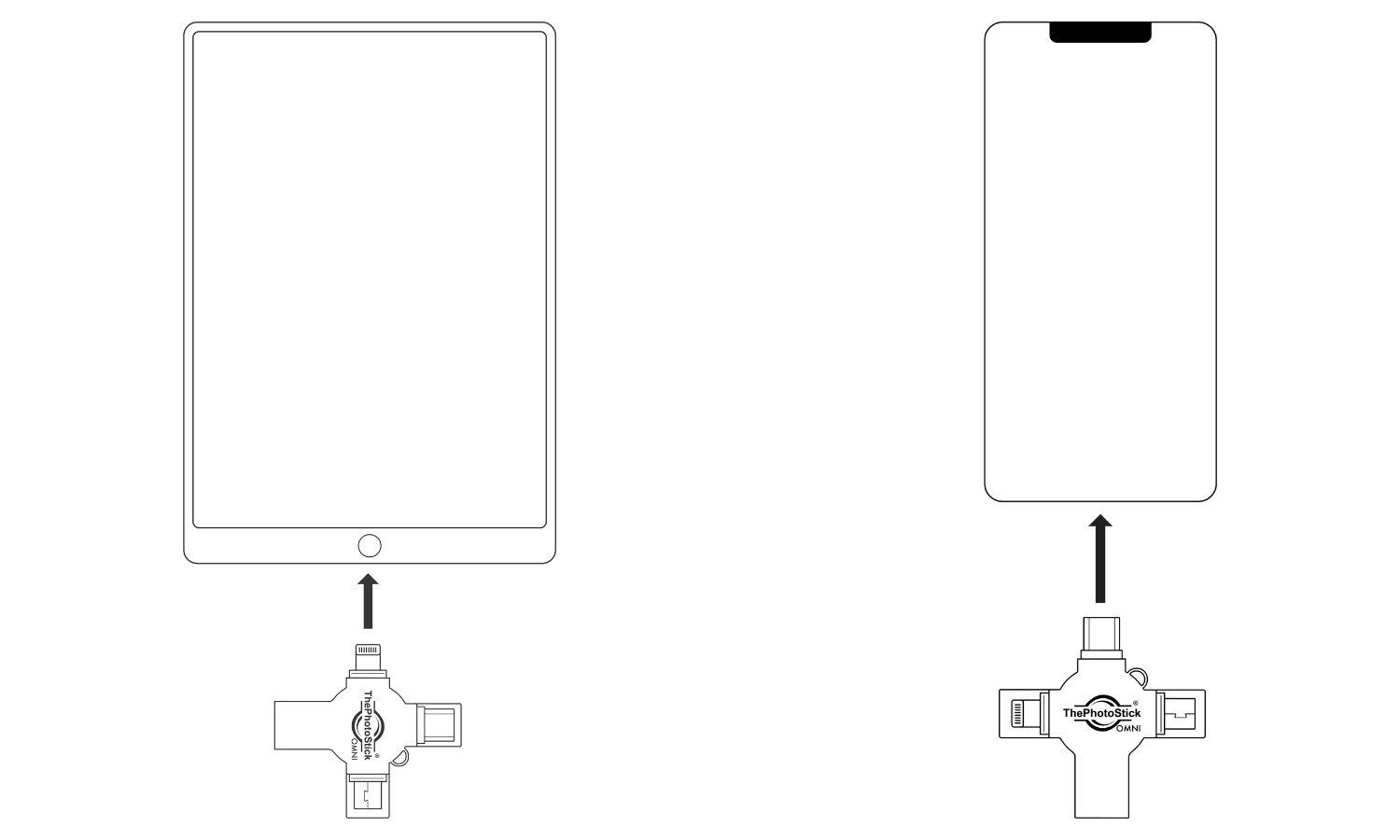
ThePhotoStick Omni X is my first PhotoStick comparison for a supported household using a mixture of phones, tablets and computers. Its useful upgrade is the connector arrangement: USB-A, USB-C, Lightning and Micro-USB are integrated into one compact device. That reduces the loose adapters you need to keep with the drive.
I recommend it for someone who wants guided local photo-and-video copying and finds manual file selection a barrier to making backups. I would choose an ordinary USB drive or external SSD if you already manage an organised library comfortably, need much more space, or want continuous computer backup. Omni X is a convenient additional copy, not a complete preservation system on its own.
Omni X, Omni and Mobile: the important difference
Omni X is a distinct generation. It is not a new name for the original computer-only PhotoStick or an older Mobile stick. The four-connector design is its strongest practical reason to buy: a suitable connector is already attached when you move between supported devices.
The earlier PhotoStick Omni remains worth considering when its complete adapter package fits your devices and costs less. A working older Omni does not need replacing merely because X exists. Check the actual product image and model in the offer, because an older Omni review or bundle does not establish what an Omni X order contains.
| Feature | Omni X | What it means for you |
|---|---|---|
| Connections | Integrated USB-A, USB-C, Lightning and Micro-USB | One device covers several common physical connections; software support still matters |
| Mobile workflow | ThePhotoStick Omni app | App access and permissions are part of setup |
| Computer workflow | Current PC/Mac software instructions | Follow the installer supplied for the exact generation |
| Storage | Selectable capacity | Choose for your real library, including videos and future growth |
| Power | USB powered | No separate drive battery to charge; keep the host device charged |
| Backup destination | Local removable storage | Keep another independent copy, including an off-site copy where practical |
Compatibility: four plugs do not mean every device
The manufacturer currently lists Android 8 or later, iOS/iPadOS 13 or later, macOS 10.13 or later and Windows 7 SP1 or later. Its current support material specifically limits Google Pixel support to Pixel 8 and newer. Check your exact phone or tablet as well as its OS before buying. Minimum software requirements are not a recommendation to run an obsolete operating system.
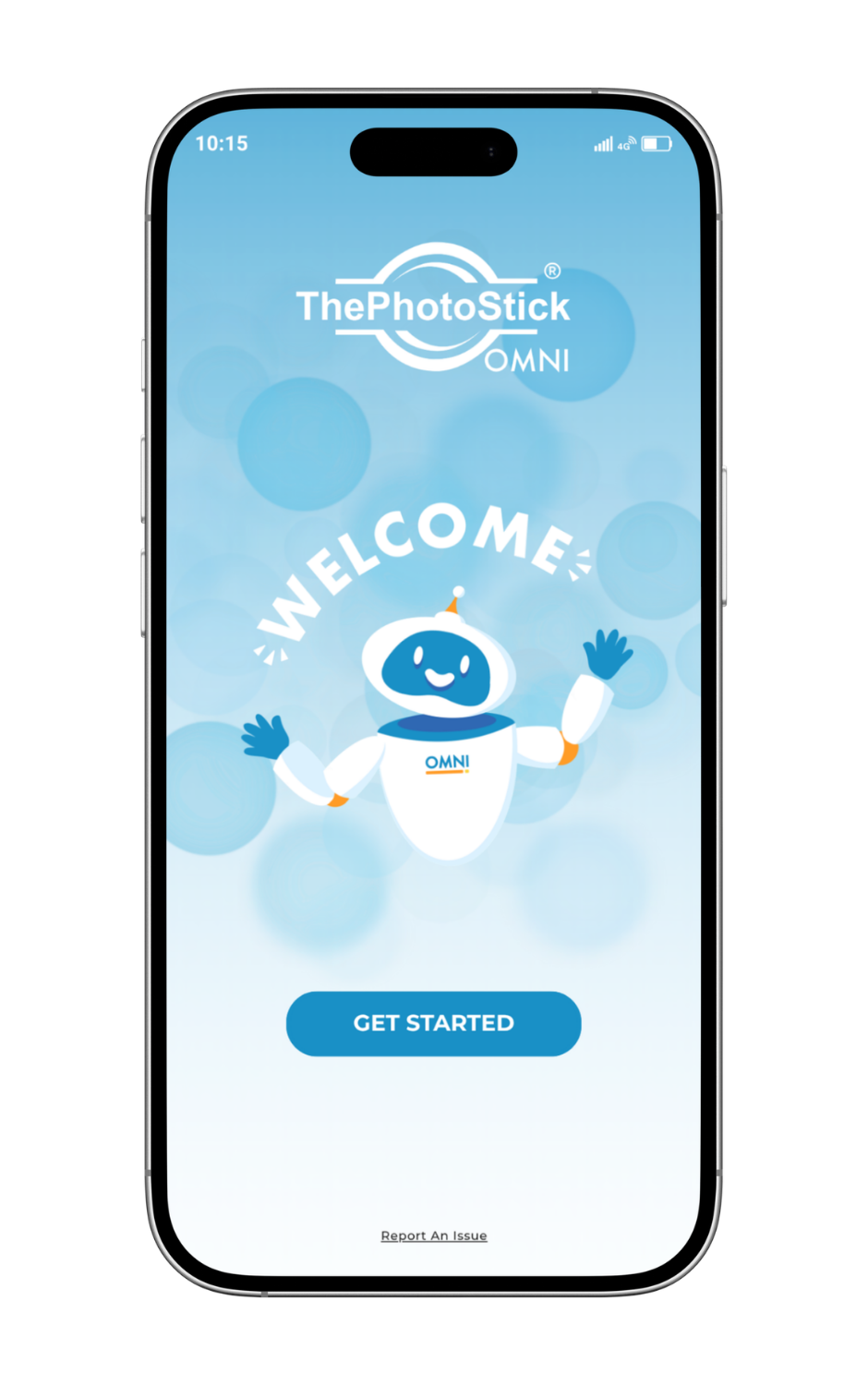
On phones and tablets you need the free companion app and the relevant media/storage permissions. The computer guide includes installer packages supplied on the drive, so I would not buy it on a promise of “no installation on every device.” Access to files and a suitable connector must both be in place.
Setup and the first useful copy
- Prepare the library. Download any cloud-only originals you want to include. Check that your selected drive has enough free space for the actual photos and videos.
- Use the current model guide. On mobile, install the app linked by the manufacturer. On a computer, follow its Omni X instructions for the included installer.
- Connect the appropriate plug. Avoid forcing it through a thick phone case or putting pressure on the port. Keep the device on a stable surface while copying.
- Grant and review access. Allow the app to read the media you intend to preserve and use the connected storage. Limited photo permissions can produce a deliberately incomplete selection.
- Check the selection and settings. Start with a small representative set, then run the larger copy once you have confirmed access and retrieval.
- Read the result. Investigate skipped files, permission errors or a full drive. Safely disconnect after the operation finishes.
I prefer this deliberate first run to treating a prominent backup button as proof that everything on every connected device is covered. A few checked files can expose a connector, permission or cloud-download problem early.
What it can copy, and what needs separate attention
The manufacturer’s supported-media list covers common photo and video formats, including JPEG, HEIC, PNG, TIFF and several RAW families, plus formats such as MOV and MPEG-4. Check the exact format rather than assuming every file inside every app is included. File extensions and playback support are separate: storing a video does not add a missing codec to your other device.
Media must be accessible to the supported software. An optimised cloud preview, an app-private folder or an unavailable external source can need downloading, exporting or connecting first. Deleted-file recovery, repair of corrupt media and a complete phone/system image are different jobs.
Duplicate detection is useful for avoiding unnecessary repeat copies within the supported workflow. It does not justify deleting your phone originals, and it should not be confused with automatically merging every edited image, album or sidecar file into a perfect photo library.
Restoration and a backup you can use
A backup matters when you can retrieve it. After copying, browse the drive through the supported app or computer workflow. Open a selection of photographs and videos, copy several to a separate working folder and check them there too. For a large collection, compare the selected source size with the saved result and investigate skipped files.
Choose a sample with older and recent images, a larger file and a long video. Check the video beyond its opening frame. If you care about RAW editing, metadata or companion files, include them in this check rather than assuming a successful JPEG copy covers the entire workflow.
Omni X does not create an off-site copy, continuously back up disconnected devices or guarantee protection against loss. Do not assume the drive is encrypted. Keep private media secure and maintain another independent copy before removing anything from your source library.
Capacity and performance
The current product selector offers capacities from 16GB through 256GB. Pick the actual SKU for the storage occupied by your library, then add headroom. The 16GB unit pictured in the product image illustrates the hardware; it does not imply that every capacity or package is identical in price.
Same usable space, different photo counts
Example: 100 GB available, decimal units
2 MB per file: 50,000
5 MB per file: 20,000
10 MB per file: 10,000
Illustrative arithmetic, not a measured result or an advertised drive capacity. Video and other files reduce the remaining space.
USB 3.0 is the published interface specification, not a promise of a particular transfer speed on every phone. Source storage, the port, the number and size of files, cloud downloads and the app all affect the time. I would not choose capacity from a “thousands of photos in minutes” claim.
My four editorial buying scores
Overall: 4.1/5. My four editorial buying scores below each contribute 25%. They assess photo backup sticks & drives using the product features, practical limitations and ownership requirements discussed in this review. This reassessment does not report a new measured test or a guaranteed result.
Media discovery and usable backup coverage: 4/5. Guided discovery and local copying fit the family-media backup job. Keep another independent copy of irreplaceable files.
Device/file compatibility and integrity: 4.5/5. Integrated USB-A, USB-C, Lightning and Micro-USB connectors reduce loose-adapter dependence on supported devices. Exact app, OS and device restrictions still apply.
Copy, verification and retrieval workflow: 4/5. The useful workflow is copy, inspect representative files and retrieve them when needed. Permissions and accessible originals matter.
Capacity/convenience value and file ownership: 4/5. Judge the price against capacity and guided-copy convenience. The core local copy does not require a recurring cloud-storage subscription.
Price, returns and who should buy it
Compare the exact capacity and total delivered price. Do not compare an entry-level Omni X price with a larger older Omni bundle or include a crossed-out saving in the value judgement without checking the real package. Review optional checkout products separately.
The manufacturer’s current general return guidance describes a 30-day window from delivery with return instructions obtained through support. Its product terms exclude shipping, handling and taxes from refunds. Check the seller, market and terms shown for your order; do not assume a 60-day unconditional trial or a lifetime warranty.
Buy it if you use supported devices with several of these connections, want guided copying, and will keep another verified copy. Skip it if you already manage manual exports comfortably, need a large always-connected archive or expect it to recover deleted media.
Alternatives
The earlier Omni is worth pricing when its adapter bundle already fits. The original PC/Mac PhotoStick is a narrower computer-only choice. For a wider comparison of guided options and ordinary storage, use my best photo stick guide.
Final verdict
I recommend Omni X for a supported mixed-device household that needs a more approachable local-media backup routine. Its integrated connectors are the reason I would start here rather than with an older phone-specific stick. Confirm the app and device support, buy for your actual library size and verify retrieval. If manual file management is already easy for you, put the money toward suitable ordinary storage and another independent copy.
Frequently asked questions
Is Omni X better than the earlier Omni?
Its integrated USB-A, USB-C, Lightning and Micro-USB connectors are a practical advantage for a supported mixed-device household. An earlier Omni can still be better value if its complete adapter package already fits your devices.
Does Omni X work with every Android phone?
No. The manufacturer lists Android 8 or later and specifically says Pixel support starts at Pixel 8. Check your exact device and the current app requirements.
Does it work with USB-C iPhones and older Lightning iPhones?
It has both connector types. The phone must also meet the manufacturer’s current iOS and app requirements and grant the necessary access.
Do I need an app or installation?
Mobile use needs ThePhotoStick Omni app. The current computer guide includes installer packages supplied on the drive; follow the instructions for your exact generation and platform.
Does it delete photos or enlarge my phone storage?
A local copy does not enlarge internal storage. Do not remove originals until you have checked the saved files and maintained multiple independent copies.
Can Omni X recover deleted photos?
It is intended to copy accessible supported media. Deleted-file recovery and repair of corrupt files are different tasks.
Is the advertised photo count guaranteed?
No. Actual capacity depends on file size, video, formatting and existing drive contents. Use the storage occupied by your library.
Does it need a subscription?
The core local copying function is sold without a mandatory recurring cloud-storage subscription. Optional services or checkout extras have separate terms.
Is one Omni X enough to protect my family photos?
No single drive is sufficient. A drive can fail, be lost or be damaged. Keep another independent copy and an off-site copy where practical.
Sources and image credits
Product requirements and published terms checked 6 November 2026. Specifications describe the manufacturer’s stated support; compatibility still depends on the exact device and software.
- Omni X specification and exact-model product imagery, ThePhotoStick
- Omni X setup guide; connection diagram and app welcome image, ThePhotoStick
- Manufacturer system requirements
- Manufacturer return process
Related Posts



Share this article

Stuart Kerr Spindlow is Pixoneye’s Publisher, Editor-in-Chief and Lead Product Reviewer. He tests consumer products and leads coverage of practical gadgets and personal-media preservation. His reviews focus on usability, limitations, value and the trade-offs that matter when choosing a product. Read Stuart’s full profile.
Leave a Reply