

The best digitizing service depends on what is in your collection and how you want to use the files afterwards. This shortlist covers family photographs, videotapes and film, with a US mail-in buying focus; embroidery-design digitizing is a separate service.
Quick verdict: iMemories is my first shortlist choice for a mixed family archive when easy viewing and sharing matter. I would choose Legacybox for a counted kit and compare Capture when album handling or a wider format mix decides the purchase. For a mainly photographic collection, start with a photo-specific service instead. Confirm the complete order and delivery terms before sending originals.
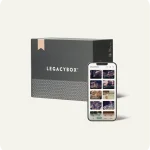
iMemories SafeShip kit, one of the mail-in options in this guide. Image: iMemories.
The shortlist at a glance
| Product | My best-fit use case | Cost structure to compare | Main buying limitation |
|---|---|---|---|
 iMemoriesRead the iMemories review iMemoriesRead the iMemories review | Mixed family media with convenient app viewing and sharing | Per tape, per film length and per photo, plus chosen extras | Separate digitisation, enhancement, delivery and continuing cloud costs |
 LegacyboxRead the Legacybox review LegacyboxRead the Legacybox review | A clearly counted collection that fits a kit | Kit capacity and the provider's definition of an item | Check membership terms and the output options you actually want |
 Capture Capture | Album handling or a varied format collection | A quote for the precise media mix | Confirm exact formats and handling before shipping |
These are conditional buying choices, rather than a claim that one lab produces the best result on every tape or photograph. A convenient app, low kit price and careful handling solve different problems. I would decide which matters most before comparing an offer.
iMemories: my first shortlist for a mixed archive
iMemories’ accepted-media page covers common videotapes, film reels, photographs, slides and negatives. Its current service page separates conversion charges by tape, film length and photograph, and offers downloads alongside app viewing and optional physical copies. The shipping kit is not an all-inclusive digitisation package.
I like that approach when a household has several media types and wants a shared viewing library. The useful decision is whether the app makes it easier for family members to find and watch the files. It is less compelling if you only want a one-off set of scans and will organise everything yourself.
The cloud plan is a separate ownership consideration. I would confirm the trial, renewal, cancellation and download terms offered with the order, and download the files rather than rely entirely on continuing app access. Enhancement is another separate choice: preserve an unaltered version when authenticity matters.
My recommendation is to compare the full inventory quote and chosen extras. Our iMemories cost guide explains that calculation, while the full review covers buyer fit and limitations. I would move to another option if its format handling or delivery better matches the collection.
Legacybox: my choice for a clearly counted kit
Legacybox’s kit description lets buyers mix supported media within a selected capacity. Its published kit listings count a set of 25 photographs as an item alongside eligible tapes or film reels. Count according to those rules before deciding which kit is economical.
I like a kit when the collection is straightforward and the quantity is known. The trap is treating an item count as a universal unit: 100 prints and 100 videotapes are very different orders. I would write the inventory first, then compare capacity and any additions instead of choosing a box by a discount percentage.
The provider’s delivery page describes a 30-day membership trial and optional thumb drive or disc set. It also describes downloads through its service. Compare membership renewal and the chosen output at checkout; app access and a physical copy are separate parts of ownership.
I would shortlist Legacybox for that counted-kit approach, but compare a photo-focused service for a large print collection. The Legacybox review and iMemories vs Legacybox comparison explain when I would choose each route.
Capture: compare it for albums and a varied collection
Capture’s current service description lists videotapes, photographs and albums, film reels, slides and negatives, and several digital-media formats. It also describes album scanning without removing individual photographs. That is a useful distinction for a collection where taking an album apart would be undesirable.
I would contact the service with the exact album type, page condition and format list before relying on that feature. Ask how the page and individual image are delivered, whether captions are retained and what handling is suitable for fragile pages. Album support does not mean every bound or damaged object is safe to send.
My reason to compare Capture is its fit with a specific collection. I would not select it merely as a supposedly newer provider or assume a generic processing estimate applies to an unusual format. Ask for the accepted specification and written quote, including digital access, physical copies and return shipping.
Check the provider’s current service information for the exact offer, and use the preparation checklist below to assess the order.
When a photo-specific or local service makes more sense
For an archive made mainly of prints, slides or negatives, use our photo-scanning services comparison. The ScanCafe review is another relevant route for that buying task. Compare the scan and correction package rather than assuming a mixed-media kit wins on cost.
A local specialist may be the better choice for fragile material, a collection you cannot risk shipping, or an unusual format needing an individual assessment. Ask where the work is performed, what equipment and file specifications are used, how the originals are handled and whether you can inspect a representative sample.
I would not add more brands to the ranking unless they solve a distinct problem. A longer list is useful only when it improves the choice. For a small set of sturdy prints, a home scan may also be more practical than a mail-in order.
Compare the complete cost
Use the same inventory for every quote: tape format and count, film gauge and length, loose photographs, albums, slides and negatives. Include any minimum, packing kit, outbound shipping, return shipping, correction, enhancement, cloud renewal, USB or disc charges. Check taxes and country eligibility where relevant.
For example, 100 prints would use four sets of 25 in a kit that defines photos that way. That arithmetic does not determine the total price, because output choices and offer terms still matter. A per-photo quote and a kit quote become comparable only after those differences are accounted for.
I would ask how unreadable or unsupported items are charged, what happens to unused kit capacity and how a damaged-media decision is communicated. Keep a dated copy of the quote. A sale price should not replace answers to those questions.
Before sending the only originals
Create an inventory and photograph what is going into the parcel. Keep labels or identifiers consistent with the provider’s instructions, use its recommended packing and keep tracking records. Do not put adhesive labels directly on delicate photographic surfaces.
If you see mould, flaking surfaces, stuck album pages or physically damaged film, ask about specialist handling before packing. A normal mail-in offer may not be the right conservation route. Read the service terms for loss, damage, compensation and complaints; a marketing guarantee should not be treated as unlimited insurance.
If a home workflow suits your prints, follow our photo digitisation steps. For video-only projects, the VHS service guide addresses the more specific choice.
Check the files before calling the job finished
Confirm video and image formats, resolution, audio, file naming and delivery before ordering. When the files arrive, compare the returned inventory with what you sent, open each file type and sample the start, middle and end of longer videos. Check orientation, missing pages, glare or cropping in photographs.
Keep the originals and an unaltered digital master. Make independent backups, including a copy in a separate location, and confirm that the files open correctly. A USB can be convenient delivery, but it is not a complete backup strategy. Keep enhancements and edited sharing copies separate from the master.
Final verdict
My first shortlist is iMemories for a mixed archive when family viewing and sharing are the priority. Legacybox is my alternative for a clearly counted kit; Capture deserves comparison when albums or an unusual format mix lead the decision. For mainly photographic work, take the photo-specific route. The winning quote is the one that meets your format, handling, output and ownership needs at a complete, acceptable cost.
Frequently Asked Questions
Which service is best for digitising old photos?
For a collection consisting mainly of photographs, use our dedicated photo-scanning comparison and the ScanCafe review rather than choosing a mixed-media kit by default. Compare scan resolution, accepted print, slide and negative sizes, correction options, album handling and the complete order cost.
What is the most reliable service for converting VHS tapes to digital files?
I would shortlist iMemories for tapes within a mixed family archive and Legacybox for a clearly counted kit. Capture is another option for supported tape formats. None is a no-risk guarantee: confirm the exact tape format, condition policy, digital output and current processing estimate before sending originals.
Which digitising service is best for embroidery designs?
These services preserve photographs, home videos and film. Embroidery digitizing creates machine-stitch instructions from a design and needs a specialist embroidery service. It is a different buying task.
How much does it cost to have photos, videos and slides digitised?
Compare the same inventory across suppliers. Include tape count, film length, photographs, kit or shipping charges, restoration, return delivery, physical copies and any continuing cloud plan. A provider's definition of an item matters as much as its headline rate.
Are mail-in digitising services safe for irreplaceable family memories?
Mail-in work introduces shipping and handling risks. Inventory and photograph the contents, read the provider's liability and damaged-media policies, use its packing instructions and keep tracking records. For unique, fragile or historically important material, consider a specialist assessment or local service before shipping.
What file formats and storage options do digitising services provide?
Confirm the actual video and image file specifications and how you obtain them. App access, a download, a USB and a playable disc are different deliverables. Ask about cloud access duration and renewal, then make independent backups of the files you receive.
Related Posts



Stuart Kerr Spindlow is Pixoneye’s Publisher, Editor-in-Chief and Lead Product Reviewer. He tests consumer products and leads coverage of practical gadgets and personal-media preservation. His reviews focus on usability, limitations, value and the trade-offs that matter when choosing a product. Read Stuart’s full profile.
Leave a Reply