

Quick Answer: Compare DJI drones by the shots you want, the weight you can carry and the assistance you need while flying. The Mini 4 Pro is the compact option in this guide, Air 3 adds a separate 70 mm camera, and Mavic 3 Pro adds a longer 166 mm camera. Air 2S can still suit a pilot who mainly shoots wide footage. Check the exact model’s sensing limits and local flight rules before buying.
The best DJI drone features are the ones you will use on your next flight. A separate telephoto camera can change a composition more than another step up in resolution. A small aircraft can make the difference between packing a drone for a trip and leaving it at home. And a system that can see an obstacle in several directions still has limits around wires, branches and low light.
The Air 2S was a convincing step up for compact aerial imaging in my experience. The useful question now is whether the features introduced since then change what you can film, or simply make the specification sheet longer. This guide uses familiar Mini, Air and Mavic models to show the differences, with Air 3S as an example of newer sensing. Compare current regional models and stock separately; a newer name does not mean every feature is present.
DJI drone features at a glance
| DJI model | Camera or flight advantage | What you trade off |
|---|---|---|
| Air 2S | Single 22 mm equivalent camera with a 1-inch sensor; wide shots at up to 5.4K/30. | No separate telephoto camera; four sensing directions rather than full directional coverage. |
| Mini 4 Pro | Folding compact body; true vertical framing and omnidirectional vision sensing. | Check aircraft weight with the exact battery and accessories; no separate telephoto camera. |
| Air 3 | 24 mm and 70 mm equivalent cameras; 46-minute manufacturer flight maximum under test conditions. | Larger travel kit than Mini; the two cameras offer distinct fixed views. |
| Mavic 3 Pro | 24 mm, 70 mm and 166 mm equivalent cameras, including a Four Thirds main sensor. | Larger aircraft and bag; the main camera’s recording options do not apply to every camera. |
The matrix uses DJI’s Air 2S, Mini 4 Pro, Air 3 and Mavic 3 Pro specifications. Focal lengths are full-frame equivalents. Flight times are DJI’s controlled maxima, not a target for a working flight. The aircraft, controller, batteries and rules must all match the model you actually plan to fly.
Design and portability: compare the kit you will carry

Folding arms reduce the size of the aircraft in a bag, but carrying weight is a system decision. Add the controller, cables, spare batteries, a charging hub and the case you would actually use. The Mini 4 Pro with its standard battery is DJI’s under-249 g configuration. DJI also offers a heavier battery in some markets; a battery swap or other accessory can change the takeoff weight. Check the package before relying on a weight category.
The compactness of a folding drone matters to me on trips because the aircraft has to compete with everything else in the bag. I would pick the smallest kit that can deliver the shot list. For a hike where the drone will only shoot an establishing view, a compact single-camera model can make sense. If a trip calls for a mix of wide and compressed views from the same safe position, the Air series’ second camera has a clearer purpose.
What older Mini models still do well
If you already own a Mini 3, you can make a travel video or a vertical clip without moving to a larger drone. DJI’s Mini 3 specifications list 4K at up to 30 fps. The Mini 3 Pro reaches 4K at up to 60 fps and adds directional vision sensing; its coverage differs from Mini 4 Pro. Check these model names carefully in secondhand listings. A faster frame rate can help with a moving subject or slow-motion edit, but it is a weak reason to replace a working kit if you mainly film slow, wide scenes. If you buy used, make sure the aircraft, battery and controller are the exact ones the seller lists.
The Mavic 3 Pro’s larger airframe makes room for the three-camera unit, but that does not by itself promise smoother footage in wind. Look at the model’s published wind limits, assess local conditions and leave a margin to return. The compact option is easier to carry; the larger option earns its place when you will use the extra camera or specific recording mode.
Imaging: choose a view before choosing a resolution
Sensor and focal length
The 22 mm equivalent Air 2S is useful for establishing shots and has a 1-inch sensor, but it has one physical camera. The Air 3 switches between 24 mm and 70 mm equivalent cameras. A tighter camera can isolate a building or layer a ridgeline into a composition from the same approved location. Using it is different from digitally cropping the wider image after recording. It is also different from changing the aircraft’s position, which changes the perspective.
DJI’s own Air 2S introduction shows the aircraft as a single-camera example. The Mavic 3 Pro introduction shows the three-camera layout. Use the clips to see the designs; use the separate specification tables to check recording modes.
The Mavic 3 Pro offers a Four Thirds 24 mm equivalent main camera and separate 70 mm and 166 mm cameras. The main camera supports 5.1K at up to 50 fps; check the separate recording table for each telephoto camera before planning a shoot. Do not assume every lens shares the same resolution, frame rate, file format or color profile. If you expect to intercut footage, set compatible recording options and test a short export before leaving for the shoot.
Gimbal stability and shooting workflow

A mechanical gimbal smooths changes in aircraft attitude, but it cannot make a poorly planned move look intentional. A slow, repeatable turn is usually easier to edit than a series of abrupt corrections. Check whether you need real vertical capture or a crop of landscape footage. Mini 4 Pro can turn the camera for vertical capture; cropping a wide frame leaves less room to reframe later. For a mixed horizontal and vertical delivery, allow time to shoot the important moves twice.
Choose storage around your intended recording mode. Check DJI’s recommended cards for the exact drone and camera settings, and make a brief recording before an important flight. Back up the original files before formatting the card. Keep one wide shot and one tighter shot of the same scene if the assignment depends on both; adding digital zoom later is not a substitute for a missing angle.
Flight time, transmission and return margin
DJI lists maximum flight time of 31 minutes for Air 2S, 46 minutes for Air 3 and 43 minutes for Mavic 3 Pro. Mini 4 Pro is rated at up to 34 minutes with the standard battery and 45 with the optional heavier Battery Plus, where offered. Manufacturers measure such maxima in specified test conditions. The test can run the battery down farther than you would deliberately plan to use in flight. Treat wind, temperature and the return leg as real costs, and retain a reserve.
Air 3 uses DJI’s O4 video transmission. Air 2S and Mavic 3 Pro use different transmission systems, so a similarly named controller does not guarantee compatibility. Range figures depend on the region’s radio rules, the model and unobstructed test conditions. Use the radio specification to compare link headroom for an otherwise lawful flight, never as permission to fly beyond visual line of sight or through interference.
I prefer to choose a takeoff point and a clear return route before starting a move. Check that the home point is recorded and the return height suits the site and local altitude limits. Review what the aircraft will do if the signal drops; it may depend on settings and operating conditions. If the return leg faces a headwind or the link becomes unstable, end the shot early rather than relying on an advertised distance or waiting for a low-battery warning.
Obstacle sensing and assisted flight

Know what the aircraft can see
The Air 2S can sense in four directions; that is not all-around protection. DJI lists omnidirectional vision sensing for Air 3, Mini 4 Pro and Mavic 3 Pro, subject to the individual systems’ conditions and mode limitations. Thin wires, small branches, glass, low light and textureless surfaces are poor things to rely on a vision system to detect. A lateral tracking move needs extra attention even if the aircraft can sense to the sides.
The Air 3S adds forward-facing LiDAR and uses it as part of DJI’s newer low-light sensing and return features. Forward-facing is a real boundary: it does not mean a laser scans every direction around the aircraft. DJI’s LiDAR support guide lists model-specific uses and conditions. Check the directions the model can sense, the modes in which sensors work and what happens when the aircraft turns.
Waypoints, tracking and gesture features are separate
Waypoints let supported drones repeat a planned path, which is helpful for shooting the same view on two flights. Subject tracking changes the route or framing in response to a subject. An orbit feature keeps a point of interest in the shot. These are different tools. Air 3 supports Waypoint Flight; check the exact manual or firmware notes before expecting it on a Mini or an older Air model. Even a saved route needs a fresh look for people, trees, cranes and other changes since the last flight.
FocusTrack is useful when I want the framing to follow a moving subject without constantly correcting the composition. Set up the shot in a clear area and know how to pause or cancel it. For solo shooting, check the exact model for gesture or palm-control support rather than assuming tracking implies hands-free takeoff. The name of an intelligent flight mode does not establish which camera, resolution or sensing options it supports.
Controllers, apps and firmware

The controller is part of the buying decision. A screen-equipped controller can spare you the phone setup, while a phone-based one may suit someone who already has a compatible display and a mount they like. Check the exact controller model and aircraft on DJI’s support page. Inspect the live view, what is recorded to the aircraft’s memory card and where the controls for ending an assisted move appear before depending on the setup at a real shoot.
Install firmware and app updates with time for a short, safe check flight, rather than just before a paid assignment or departure. Read the release notes for both aircraft and controller, and recheck saved return and camera settings if the update changes them. DJI Fly is a consumer app; the enterprise flight and mapping tools you might see for Matrice models are separate products. A similar option in a menu does not make a consumer drone a survey system.
What to check when moving to another controller
Confirm that the exact aircraft appears in the controller’s compatibility list and that you can use the same app version where you plan to fly. Check how to reach the camera settings, cancel a track, set the home point and find the recorded files. A shared screen or familiar name does not guarantee that a favorite shortcut or button layout carries over. Do this with time to return an incompatible bundle, particularly if a listing includes a controller from another DJI series.
Airspace and Remote ID: where the app stops helping
DJI’s FlySafe map can show advisories, but DJI describes the move from former no-fly zones to Enhanced Warning Zones in its GEO update. Do not assume the aircraft will enforce every restriction. Check the official aviation authority’s current airspace information for your planned site and flight time. In the United States, use the FAA’s airspace authorization instructions when an authorization is required.
For US flights, check whether registration is required for your operation, and then check the FAA’s Remote ID guidance and your aircraft’s exact compliance status. A weight that matters for some recreational registration decisions does not create a blanket exemption for other operations. The FAA also explains the difference between recreational and Part 107 operations. Automated tracking, return and transmission features do not remove the pilot’s responsibility to observe the aircraft and follow the rules. Outside the US, use the equivalent local authority rather than copying US thresholds.
Accessories, used buys and support
Start with accessories that solve a problem you have. A spare battery buys another sortie after you land. A charger or hub affects turnaround; read whether it charges simultaneously or in sequence. A gimbal cover protects the camera in the bag and comes off before flight. ND filters can help you choose shutter speed in bright light; check the correct camera fit, particularly on a multi-camera unit. Carry the exact propellers specified for the aircraft rather than treating similar-looking sets as interchangeable.
Propeller guards may be useful for an appropriate setup, but they add weight and may change sensing or supported flight modes. Read the model’s guidance before flying with them. Keep decorative skins or carrying straps clear of vents, sensors and moving parts. For a used aircraft, inspect the gimbal, arms and propellers, check the batteries for visible damage, confirm the controller can pair and make sure you can complete the account or ownership transfer required for the model.
Compare the total bundle price, not just the body: controller, usable batteries, charger, memory card and service options. Check DJI Care Refresh regional terms for the exact aircraft, registration region and eligibility before counting on it. A warranty, a paid replacement plan and a used seller’s return policy are separate kinds of cover.
Which features are worth paying for?
For travel or occasional photography, decide how much kit you will willingly carry and whether you need vertical footage. For family, landscape or small production shoots where you cannot move the drone closer, a dedicated 70 mm camera may be the most useful difference. For productions needing an additional long focal length or particular main-camera recording format, check what the Mavic 3 Pro can deliver on each camera before paying for all three.
For surveying, inspection or other specialist work, make the deliverable the starting point. A scenic video, a repeatable inspection record and a defensible map need different workflows. Verify required sensor, mapping software and positioning support for the specific job instead of assuming a consumer camera model can replace an enterprise aircraft.
My buying rule is to pick the shot or operation the aircraft must do first, then rule out the models that cannot do it. If you are deciding whether a second camera is worth the weight, start with the dedicated Air 3 review and compare its two views against the footage you actually make.
Frequently asked questions
Is a newer DJI drone always better for video?
No. Compare the lens, sensor, frame rates and recording options for the camera you will use. A newer aircraft with one wide lens may not solve a shot that needs a dedicated telephoto camera.
What makes the DJI Air 2S different from the Air 3?
Air 2S has one 22 mm equivalent camera with a 1-inch sensor and can record 5.4K at up to 30 fps. Air 3 offers 24 mm and 70 mm equivalent cameras plus O4 transmission. They use different aircraft and controller combinations.
Does omnidirectional obstacle sensing mean the drone cannot hit anything?
No. Vision sensing has lighting, subject and mode limits. Wires, small branches and glass are examples of things you should not rely on the sensors to detect.
How much battery time should I plan on?
Use DJI’s maximum only for comparing models. Plan around the conditions at your site, the trip back to the home point and a landing reserve, and end the flight early if conditions change.
Do all DJI drones support waypoint flight or gesture control?
No. Features depend on the aircraft and firmware. Check the exact model’s manual; subject tracking, programmed routes and gesture commands are separate functions.
Can a DJI app warning tell me whether a flight is legal?
Use the app as one source of awareness. Check current official airspace data, any authorizations and the rules for your exact flight with the applicable aviation authority.
Sources and image credits
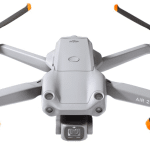
- Featured image: DJI Air 2S. Image: DJI.
- Mavic 3 Pro aircraft and controller images: DJI Mavic 3 Pro. Images: DJI.
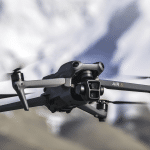
- Air 3 flight image: DJI Air 3. Image: DJI.
Related Posts

Share this article

Stuart Kerr Spindlow is Pixoneye’s Publisher, Editor-in-Chief and Lead Product Reviewer. He tests consumer products and leads coverage of practical gadgets and personal-media preservation. His reviews focus on usability, limitations, value and the trade-offs that matter when choosing a product. Read Stuart’s full profile.
Leave a Reply