

Quick choice. For camera-first filming among the established models covered here, I would choose the original DJI Mavic 3. Air 2S is the balanced one-inch-sensor option; Mini 3 Pro is my compact choice for travel and vertical clips. These are older aircraft, so a healthy complete kit at a sensible price matters more than a launch-era ranking.
The best drone for filming is the one that produces the files you need while fitting your carrying limits, flying permissions and editing workflow. This guide compares three established DJI models already covered by Pixoneye. It is a focused buying shortlist, rather than a claim that older aircraft outrank every newer drone currently on sale. Check current alternatives and support before paying a premium for remaining stock.
I would not rank a low-cost toy camera drone alongside these aircraft on an unsupported ‘8K’ or ‘professional’ label. A usable filming tool needs a credible camera specification, controlled movement, a supported controller and a dependable way to retrieve the original files. Those practical requirements are more useful than anonymous customer-star averages.
Choose by the film you want to make
- 1. DJI Mavic 3: best camera-first choice in this shortlist
- 2. DJI Air 2S: best balance of camera and carrying size
- 3. DJI Mini 3 Pro: best compact and vertical-video choice
Filming-drone comparison
| Product | Price / availability | Best for | Key features | Important limitation | Review |
|---|---|---|---|---|---|
| DJI Mavic 3 | Check availability | Camera-first production | Four Thirds 20 MP main camera; variable aperture; up to 5.1K/50 | Larger aircraft; standard model does not include Cine ProRes/SSD features | Read review |
| DJI Air 2S | Check availability | Travel films with a one-inch sensor | 20 MP; 5.4K/30 or 4K/60; DNG | Fixed f/2.8 aperture; no side obstacle sensors | Read review |
| DJI Mini 3 Pro | Check availability | Compact travel and portrait clips | 1/1.3-inch sensor; 4K/60; true vertical camera rotation | Forward/back/down sensing only; Plus battery changes weight | Read review |
Prices, availability and bundle contents change. Compare a complete working kit with a complete working kit, including controller, batteries, charger, storage and any filters you actually need. Manufacturer flight-time maxima below are measured under specified conditions; plan a reserve rather than treating them as a landing target.
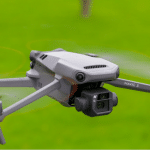
1. DJI Mavic 3: my camera-first choice

Best for: a filmmaker who values the main camera’s flexibility more than the smallest possible bag. The original Mavic 3 combines a Four Thirds 20 MP main camera with a separate tele camera. Its adjustable f/2.8–f/11 aperture helps manage exposure and creative choices, although ND filters can still be useful.
It records up to 5.1K/50 and supports 4K high-frame-rate modes. Choose resolution, frame rate and colour settings for the intended edit rather than assuming every maximum works in every mode. Its main camera is the reason I place it first in this shortlist; the tele camera is a different camera with its own capabilities, not a second identical Four Thirds unit.
The limitation: do not confuse original Mavic 3, Mavic 3 Classic and Mavic 3 Pro. Original Mavic 3 has two cameras; Classic has one main camera; Pro has three. ProRes and the internal SSD of the relevant Cine editions are not features of every standard Mavic 3. Read the exact aircraft and package description.
DJI lists a maximum 46-minute flight-time claim for the original Mavic 3 under its test conditions. Its approximately 895 g standard aircraft is substantially larger and heavier than a Mini. Omnidirectional sensing is useful but cannot guarantee detection of wires, branches or every surface. The camera advantage must be worth the extra carrying and operating requirements for your work.
For the differences within the family, see Mavic 3 Pro vs Classic. My first choice here is specifically the original Mavic 3 at an appropriate complete-kit price, not an instruction to buy any product carrying the Mavic name.
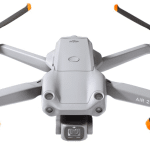
2. DJI Air 2S: the balanced camera option

Best for: someone who wants a one-inch sensor in a smaller aircraft than the Mavic 3. Air 2S has a 20 MP camera, DNG still photographs and up to 5.4K/30 or 4K/60 recording. It is a useful middle ground when filming quality matters but carrying the larger Mavic kit is inconvenient.
The approximately 595 g aircraft uses DJI Fly and O3 transmission. That does not make it interchangeable with every DJI controller. Check the exact supported controller and phone or screen arrangement before pricing a used aircraft-only listing.
The limitation: the lens has a fixed f/2.8 aperture. Exposure management therefore differs from Mavic 3’s variable-aperture camera. Its obstacle sensing covers forward, backward, upward and downward directions; it has no side sensors. A sideways tracking move needs a clear route and active supervision.
The manufacturer’s maximum flight-time claim is 31 minutes, not a universal real-world endurance figure. Battery age and return-flight conditions matter especially when buying an older kit. I would choose it for a sound camera-to-size compromise, not for an assumption that the highest resolution number makes it better at every filming task.
See Air 2S vs Mini 3 Pro if portrait recording and carrying weight compete with sensor size. See Air 2S vs Mavic 2 Pro for the older one-inch-camera comparison.
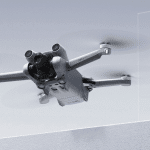
3. DJI Mini 3 Pro: compact and useful for vertical work

Best for: travel, family films and vertical clips when the compact kit makes you more likely to bring the aircraft. Mini 3 Pro has a 1/1.3-inch camera with a bright f/1.7 lens, 12/48 MP photograph settings, DNG and up to 4K/60 video. Its camera rotates for true vertical capture rather than simply cropping a landscape frame.
I would choose it over the larger aircraft when portability and portrait composition matter more than a bigger main sensor. A higher megapixel setting is not a guarantee of proportionately more usable detail, and HDR, tracking and high-frame-rate functions have their own supported-mode conditions.
The limitation: sensing is forward, backward and downward, not omnidirectional. The standard battery has an advertised maximum of 34 minutes. The optional Plus battery’s 47-minute claim comes with a weight change and regional availability limits. It should not be presented as the endurance of every standard under-249 g kit.
Check the controller package carefully. A compatible screen-equipped controller and a phone-dependent controller create different purchase costs and setup routines. The aircraft’s weight class also does not remove every registration, location, privacy or operator requirement.
See Mini 3 Pro vs Mini 2 if the budget is tight. Mini 2 can provide basic 4K capture but lacks Mini 3 Pro’s tracking and obstacle-sensing feature set.
How I assess a filming-drone shortlist
My ranking gives priority to the camera output and control needed for the intended film, then the practical cost of obtaining that output. I consider sensor and lens capabilities, recording modes, mechanical stabilisation, file access, supported controller and app, carrying size, battery planning and useful safety limitations. The best-for labels explain why a smaller model can be the better personal choice despite a lower position.
These recommendations draw on Pixoneye’s existing coverage and verified manufacturer specifications. This update does not add new measurements, a fresh flight-time test or a numerical test score. I have not treated an affiliate commission, an unsupported resolution label or an unattributed customer rating as evidence that a model should rank higher.
Before buying an older filming drone
- Check the exact aircraft variant, compatible controller and supplied cables. An aircraft-only price is not a complete filming-kit price.
- Inspect crash history, gimbal movement, arms, lens, battery condition and charging behaviour. Do not use swollen or visibly damaged batteries.
- Confirm that genuine compatible batteries, propellers and essential accessories remain obtainable in your market.
- Check current official app, firmware and phone compatibility, along with the seller’s actual warranty and returns. Do not assume every merchant offers the same return window.
- Check the relevant aviation authority, location restrictions, privacy requirements and permissions for the shoot. A supported mode or transmission distance is not permission to use it anywhere.
A practical filming workflow
Prepare a short shot list before take-off. Check the location, wind and return route, then make deliberate, slow moves with room to stop. Intelligent modes can help execute a planned shot; they do not guarantee that an aircraft will avoid every obstacle. Set an appropriate return-to-home height and confirm the home point, while recognising that signal-loss behaviour depends on the aircraft, settings and conditions.
Record in the resolution and frame rate the edit needs. 4K can be useful for a 1080p crop, but it also requires storage and processing capacity. A deliberate exposure and composition are more valuable than an unnecessarily large file. Suitable light helps; do not turn a golden-hour plan into unsafe low-light flying.
After filming, copy the original camera files from the supported card or storage, check playback and keep another copy before deleting the card. A cached phone preview is not the master recording. See copying media to an external drive for the core copy-and-verify approach.
My final choice
For this established-model shortlist, I would choose Mavic 3 for the main camera, Air 2S for a balanced one-inch-sensor kit, or Mini 3 Pro for compact travel and vertical shooting. Buy the model that fits the film and the complete working budget. If an older kit costs close to a supported newer alternative, reassess the purchase rather than paying for historical flagship status.
Frequently asked questions
Do I need a licence or registration to film with a drone?
Requirements depend on your location, aircraft, operation and the shoot. Check the relevant aviation authority and location rules before flying. A lightweight aircraft or a commercial intention alone does not settle the answer.
Does a filming drone have to be expensive?
No, but match the camera output, stabilisation and control to the job. An unsupported 8K or professional label does not establish usable filming quality.
Is 4K always necessary?
No. Choose for the final output. 4K can help cropping or a 4K delivery, while a well-shot lower-resolution clip can suit a smaller final film.
Should I prepare a shot list?
Yes. It helps use battery time deliberately and reduces unnecessary flying. Leave room for weather and safety decisions rather than forcing the planned shot.
What happens if the signal is lost?
It depends on the aircraft and configured failsafe behaviour. Check the manual, home point, return settings and route. Return-to-home is not an unconditional guarantee of recovery.
Can I fly over private property?
Permissions, aviation restrictions, privacy and local law all matter. Check the applicable rules and obtain the permissions required for the operation.
How loud are filming drones?
Noise depends on the aircraft, distance and flight conditions. This guide does not assign an unsupported universal decibel figure. Keep appropriate separation from people and sensitive locations.
Can I fit quieter propellers?
Use only compatible, approved propellers and follow the manufacturer’s maintenance guidance. Do not add improvised vibration material or modify the aircraft on an assumption that it is safe.
Can I livestream from these drones?
Check the exact aircraft, controller, app version and supported streaming workflow. Live video to the controller is not automatically an internet livestream, and connectivity must not distract from safe flight.
Sources and image credits
DJI Mavic 3 specifications and support; DJI Air 2S specifications and support; DJI Mini 3 Pro specifications and support; Product photographs: existing Pixoneye model coverage.
Related Posts
Share this article

Stuart Kerr Spindlow is Pixoneye’s Publisher, Editor-in-Chief and Lead Product Reviewer. He tests consumer products and leads coverage of practical gadgets and personal-media preservation. His reviews focus on usability, limitations, value and the trade-offs that matter when choosing a product. Read Stuart’s full profile.
Leave a Reply